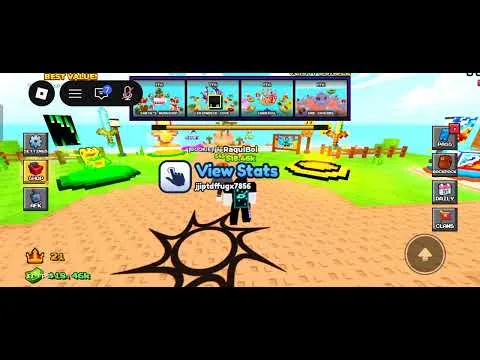
Lucky Islands does not publish a custom control scheme. It uses Roblox movement: walk, look, jump, and a primary action that both breaks Lucky Blocks and swings or fires. If you have remapped Roblox, your own binds win over the defaults below.
Desktop defaults most players start with
| Action | Usual Roblox input | Why it matters here |
|---|---|---|
| Move | W A S D | Clears and bridge peeks |
| Look | Mouse | Track someone across a gap |
| Jump | Space | Cross gaps and step off an edge line |
| Sprint | Shift, if sprint is enabled in your Roblox settings | Faster rotates |
| Break, swing, or shoot | Left click | The same button opens blocks and fights |
| Zoom | Scroll wheel | See more than one island |
| Hotbar | Number keys or scroll | Apple and pearl without opening the backpack |
| Backpack | The Roblox backpack control you already use | Sort loot only when you are safe |
Put the best melee on a key you hit without looking. Put the golden apple beside it. Put the warp pearl on the next key. Guns and knockback sit where your hand already goes during a bridge fight. Rebuild that order at the start of a session and keep it. Rearranging mid-duel is how apples get eaten late.
Phone and tablet
Touch play uses the on-screen stick, camera drag, and jump or attack buttons from Roblox. Keep jump and attack under your thumbs without covering the middle of the screen. Pull the camera out enough to see island lips and incoming bridges. Short sessions help until the camera stops whipping past the gap you meant to cross.
Mobile deaths are often camera panic, not a weak sword. Clear a few islands and cross one quiet gap before you buy a round item.
Breaking blocks
Face the block, hold the camera still, and use the primary action until it breaks. Walk a loop between clusters. Equip upgrades immediately. Jumping while you break usually wastes the clear. Plant your feet, empty the pad, then jump when you leave.
Crossing gaps
Look down the route before you jump. Decide whether you are peeking, committing, or leaving. Do not sprint onto a contested bridge with no apple and no pearl. If someone in the lobby has a Jetpack, flight can change the angle, and a bad camera still dumps you off the island.
Settings that help this mode
Lower effects if the frame rate drops in an 8-player fight. Stable frames matter more than the water. Set mouse or touch sensitivity so you can track a bridge without spinning past it. Shift lock can help a melee trade and can fight your camera on a bridge, so turn it off if crossings feel stuck. Leave fight audio audible. Keep the hotbar large enough to read.
Purple and normal blocks are a color difference. If that difference is hard to see, clear every block instead of hunting by color. The rule is in the Lucky Blocks guide.
Controllers that Roblox already supports can play, but number-key hotbar habits do not transfer. Relearn the apple and pearl buttons before you treat a session as practice.
No game pass changes the controls. Second Chance only puts you back in a round. Buy it after the hotbar is boring, not before. See game passes.